NEWAI Receipt Scanner, Expense Reports, ACH Payments, and more.See what's new

Every feature your firm needs. Zero you don't.

One platform. No integrations to debug, no spreadsheets to reconcile, no per-user fees eating your margins. Purpose-built for firms that bill clients for their time.

View plans and pricing →
POPULAR

Every hour, accounted for

Time Tracking

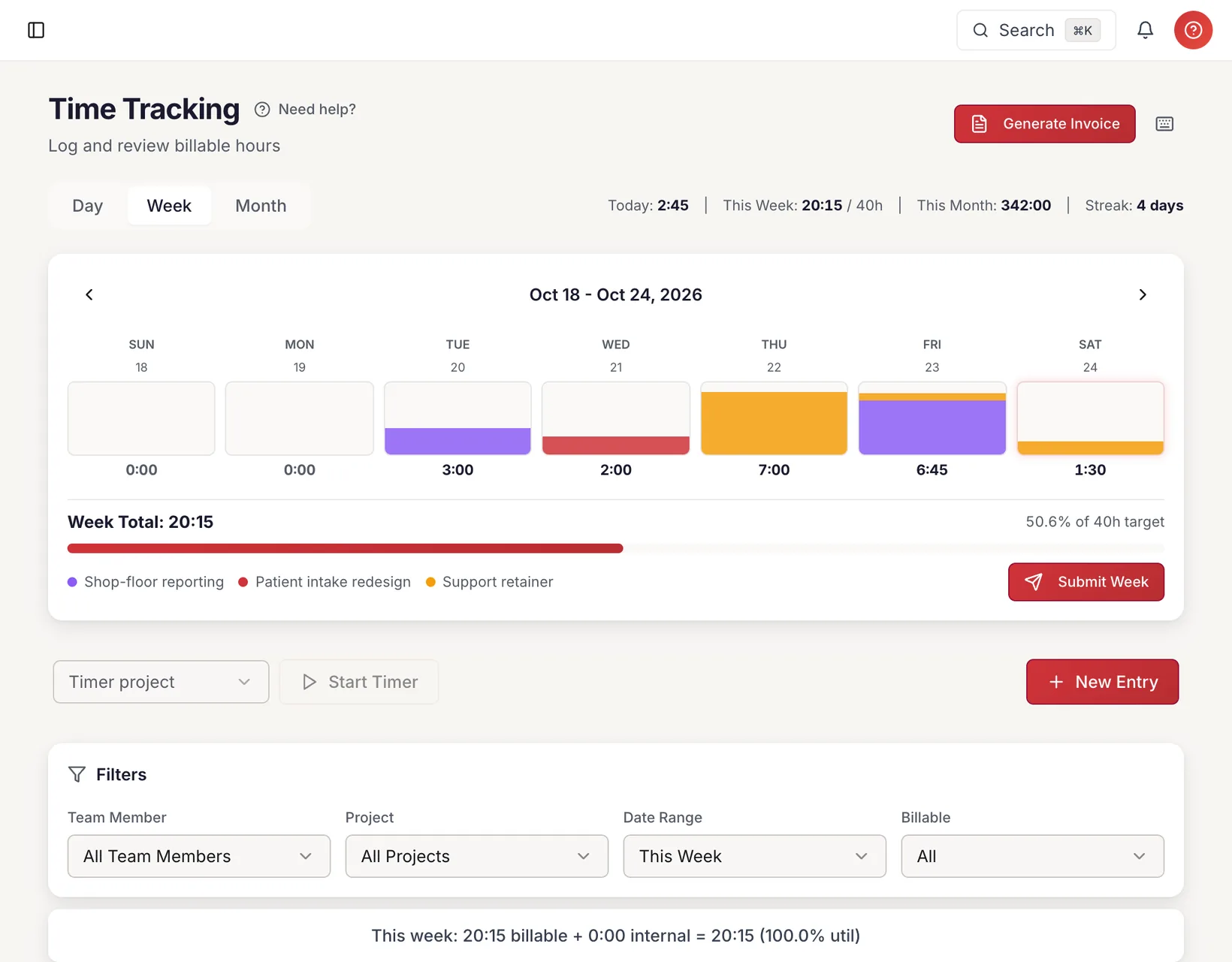
Three views (week, month, day), start/end time pickers, a floating timer widget, and one-click cell entry. Your team logs time the way that works for them.

Other platforms charge extra for timer widgets and weekly views

  • Week, month, and day calendar views
  • Start/end time pickers with auto-duration
  • Floating timer widget for live tracking
  • Billable vs non-billable classification
  • Service category per entry
  • Bulk select and delete
See it in action
cherryworkspro.com/time

Time Tracking

Week of Mar 23 – Mar 29, 2026

WeekMonthDay
1h 23m
PROJECTSERVICEMonTueWedThuFriSatSun
Acme RedesignUX Design87.5868
Acme RedesignDev0.52
TechFlow APIBackend
DataSyncConsulting4
InternalAdmin2
DAILY TOTAL8888842
42h billable4h internal
46h total · 91% utilization
POPULAR

From billable hours to cash collected

Invoicing

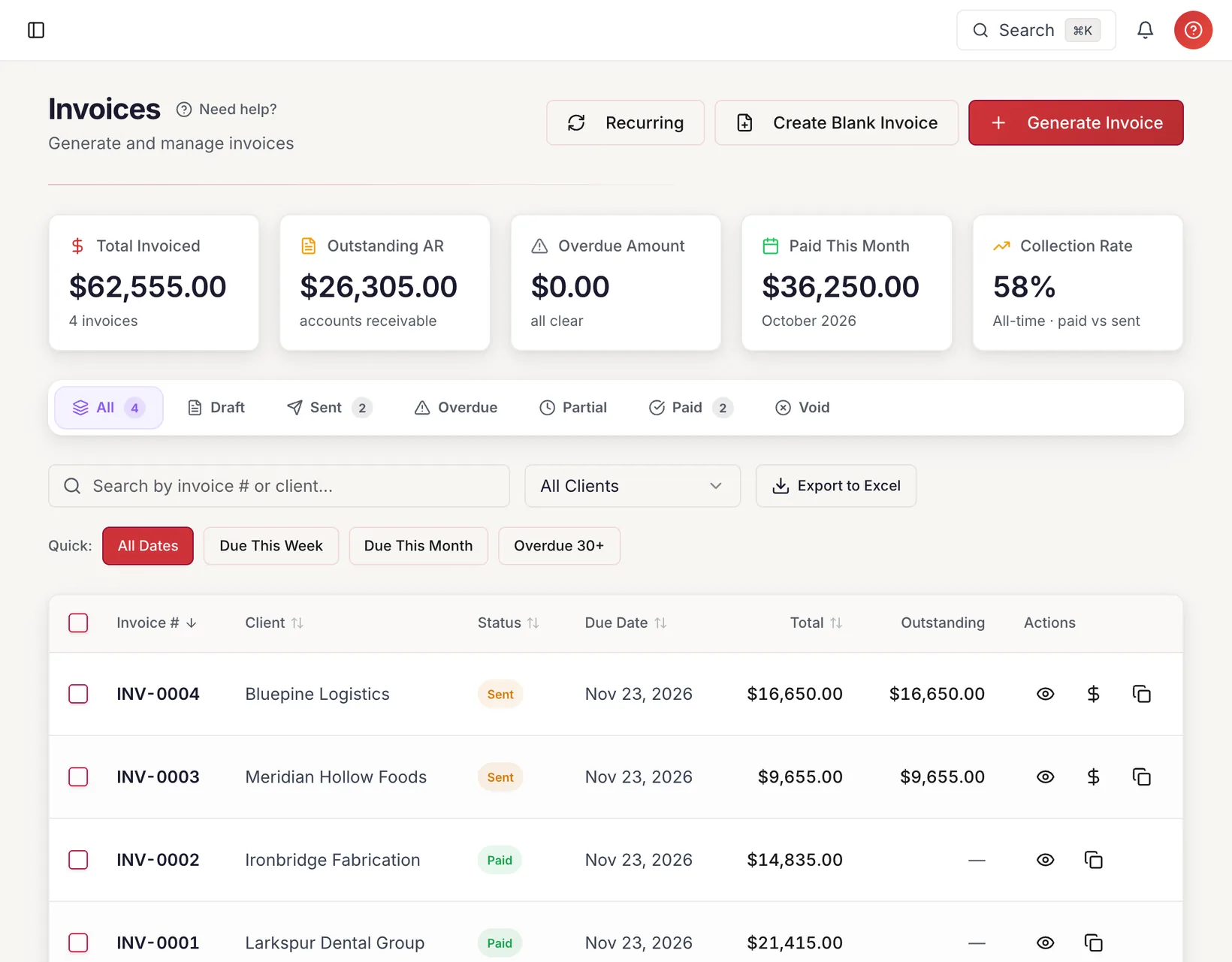
Generate invoices from unbilled time in seconds. Add discounts, tax, and custom lines. Send with PDF attachment. Track status from draft through paid. Multi-currency for global clients.

Only CherryWorks Pro includes multi-currency invoicing at every tier

  • One-click invoice from billable hours
  • Group by team member or combine
  • Discount (% or fixed) and tax rate
  • Email with PDF attachment
  • Status: Draft → Sent → Partial → Paid → Void
  • Multi-currency (30+ currencies)
  • Recurring invoice templates
  • Stripe Checkout integration
See it in action
cherryworkspro.com/invoices/INV-0047
PAID
CherryWorks Pro
CherryWorksPro
Invoice

Bill To

Acme Corp

123 Main St, San Francisco, CA

Invoice Details

# INV-0047

Issued: Mar 1, 2026

Due: Mar 31, 2026

DescriptionHoursRateAmount
UX Design — Acme Redesign42.0$175$7,350
Frontend Dev — Acme Redesign22.0$200$4,400
Project Management4.0$150$600
QA & Testing2.0$125$250
Subtotal$12,600
Discount (5%)-$200
Total$12,400
Stripe CheckoutPaid via ACH · Mar 28, 2026

Better reporting than platforms charging ten times the price

Enterprise-Grade Reports & Dashboards

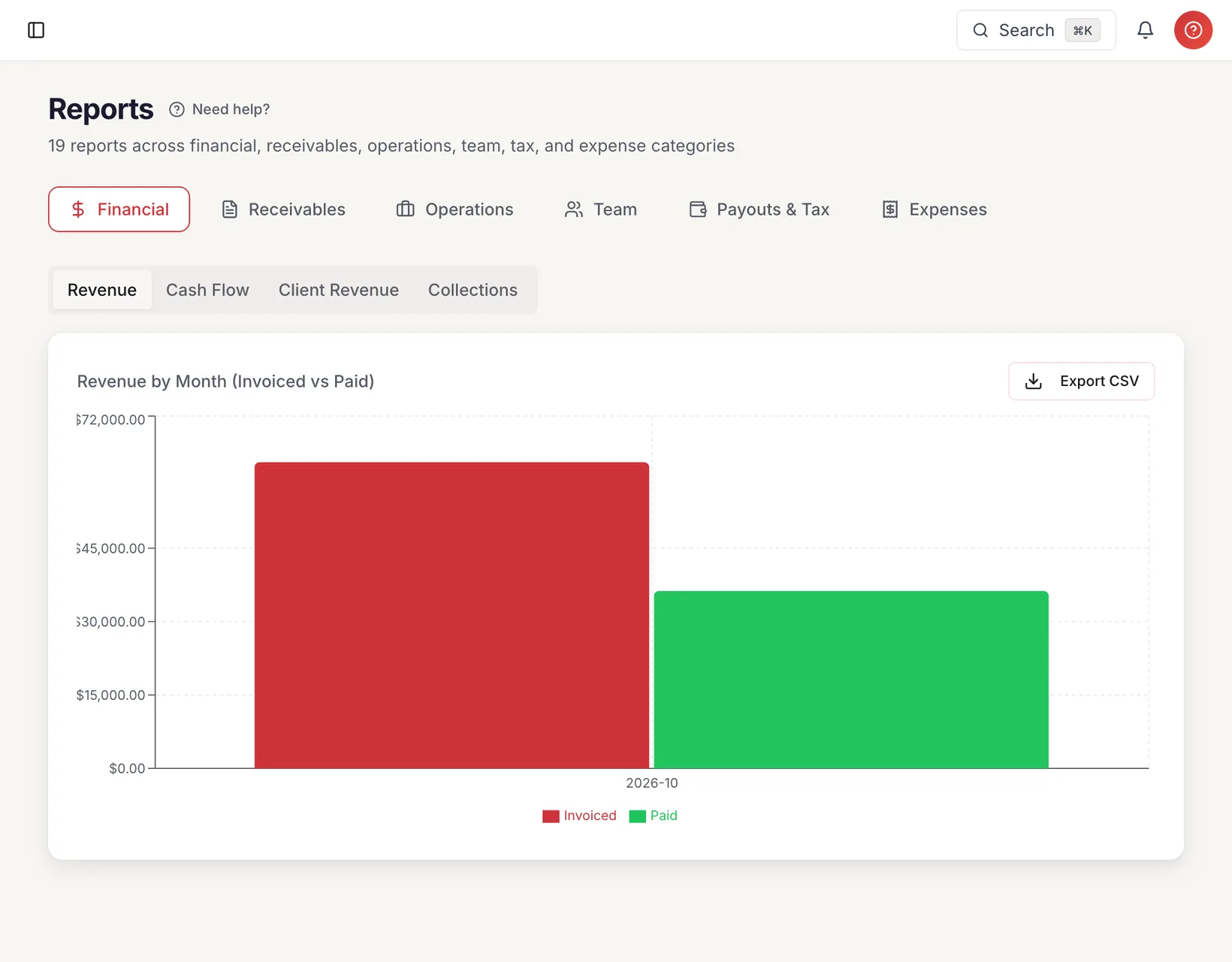
Comprehensive reporting suite, zero setup. Revenue trends, AR aging, utilization, profitability, WIP, cash flow, collections, payout tracking, expense analytics, and 1099 export.

Other platforms charge extra for advanced reporting

  • Financial: Revenue, Cash Flow, Budget Burn, Collections
  • Receivables: AR Aging, Overdue Detail, Invoice Status
  • Operations: WIP, Timesheet Compliance, Profitability
  • Team: Utilization, Labor by Worker Type, Earnings
  • Payouts & Tax: Detail, Summary, 1099 Export
  • Expenses: By Category, By Project, By Team Member
See it in action
cherryworkspro.com/reports

Reports

Full reporting suite across every category

FinancialReceivablesOperationsTeamPayoutsExpenses

Revenue by Month

+12%
28K
35K
42K
38K
51K
47K
62K
SepOctNovDecJanFebMar

AR Aging

Current
$12.4K
1-30d
$5.2K
31-60d
$2.1K
90d+
$1.1K

Utilization

SK
Sarah K.
92%
MR
Mike R.
85%
AL
Anna L.
68%
JT
James T.
54%

Profitability

Acme Redesign42%
TechFlow API33%
DataSync-12%
POPULAR

Your entire business at a glance

Smart Dashboard

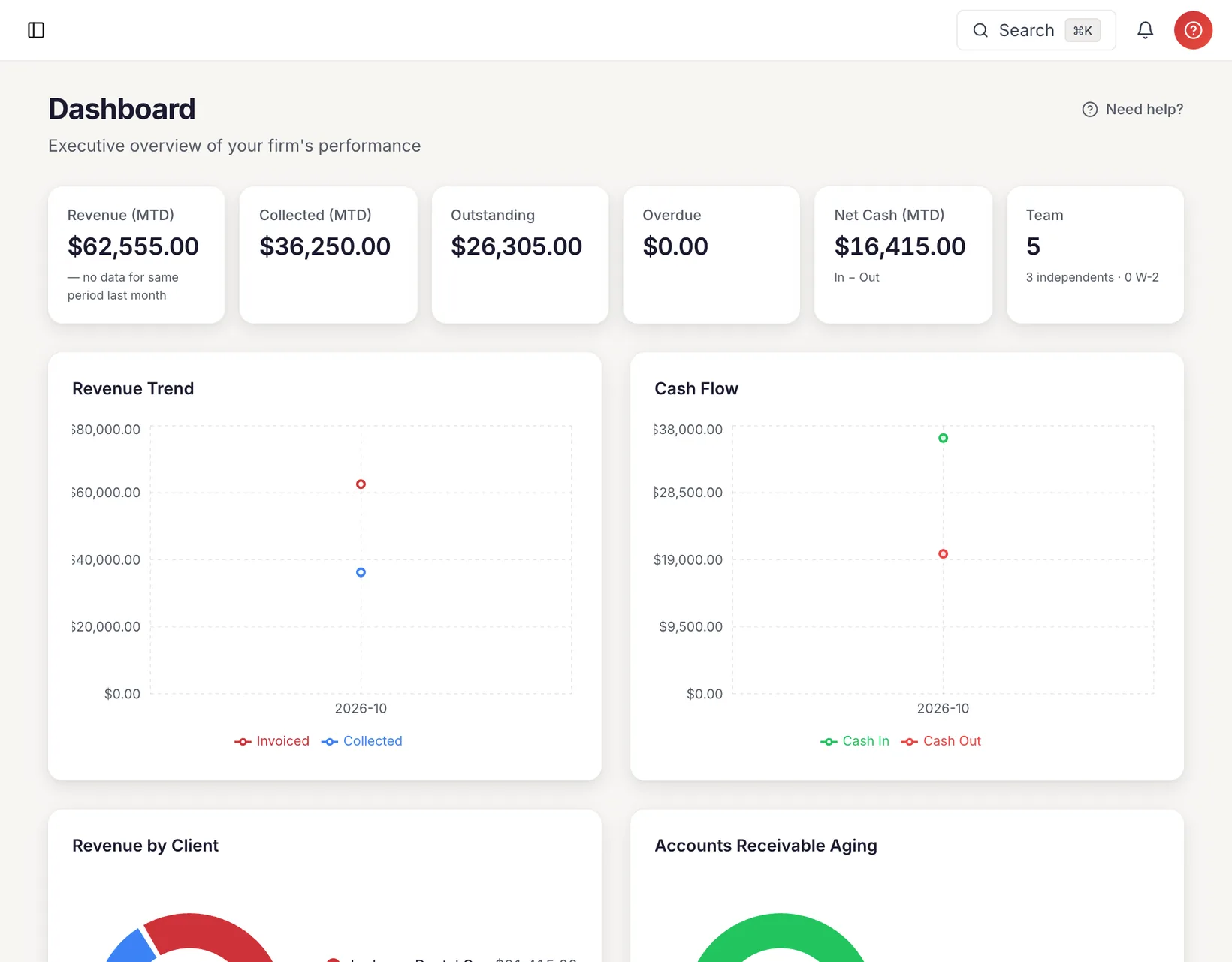
Two purpose-built dashboards — Admin sees revenue, AR aging, utilization, and overdue invoices. Team members see their hours, earnings, and active projects. Every metric is clickable for drill-down detail.

Only CherryWorks Pro includes dual dashboards at every tier

  • Admin dashboard with revenue and collections metrics
  • AR aging buckets (Current, 30, 60, 90+ days) with drill-down
  • Utilization tracking by team member with billable vs total hours
  • Revenue by month chart (invoiced vs collected)
  • Team member dashboard with personal hours and earnings
  • Active project and overdue invoice quick-access lists
See it in action
cherryworkspro.com/dashboard

Admin Dashboard

March 2026 Overview

TOTAL REVENUE

$184,250

+12% MoM

COLLECTED

$156,800

85.1%

OUTSTANDING

$27,450

6 invoices

OVERDUE

$8,200

2 invoices

Revenue Trend

+12%
SepOctNovDecJanFebMar

AR Aging

Current
$15.1K
1-30d
$6.9K
31-60d
$3.3K
90d+
$2.1K

Team Utilization

Sarah K.
92%
Mike R.
85%
Anna L.
78%
James T.
64%

Verified hours. Locked records. Clean invoices.

Timesheet Approval Workflow

Team members submit weekly timesheets. You approve or reject with a reason. Approved weeks lock automatically so invoices are always based on verified, immutable time.

Other platforms charge extra for timesheet approval workflows

  • Submit → Approve → Lock lifecycle
  • Reject with mandatory reason
  • Admin unlock with audit trail
  • Bulk approve/reject
  • Locked weeks prevent edits
  • Pending count badge for admin
See it in action
cherryworkspro.com/approvals

Timesheet Approvals

Week ending Mar 29, 2026

3 pending
TEAM MEMBERWEEKHOURSSTATUSACTIONS
SK
Sarah Kim
Mar 23-2942.0hSUBMITTED
MR
Mike Rivera
Mar 23-2938.5hSUBMITTED
AL
Anna Lopez
Mar 23-2940.0hSUBMITTED
JT
James Torres
Mar 23-2944.0hAPPROVED
LC
Li Chen
Mar 23-2936.0hAPPROVED
RD
Rob Dunagan
Mar 23-2922.0hREJECTED
Approve Selected (3)
Reject Selected
NEW

The feature no one else has

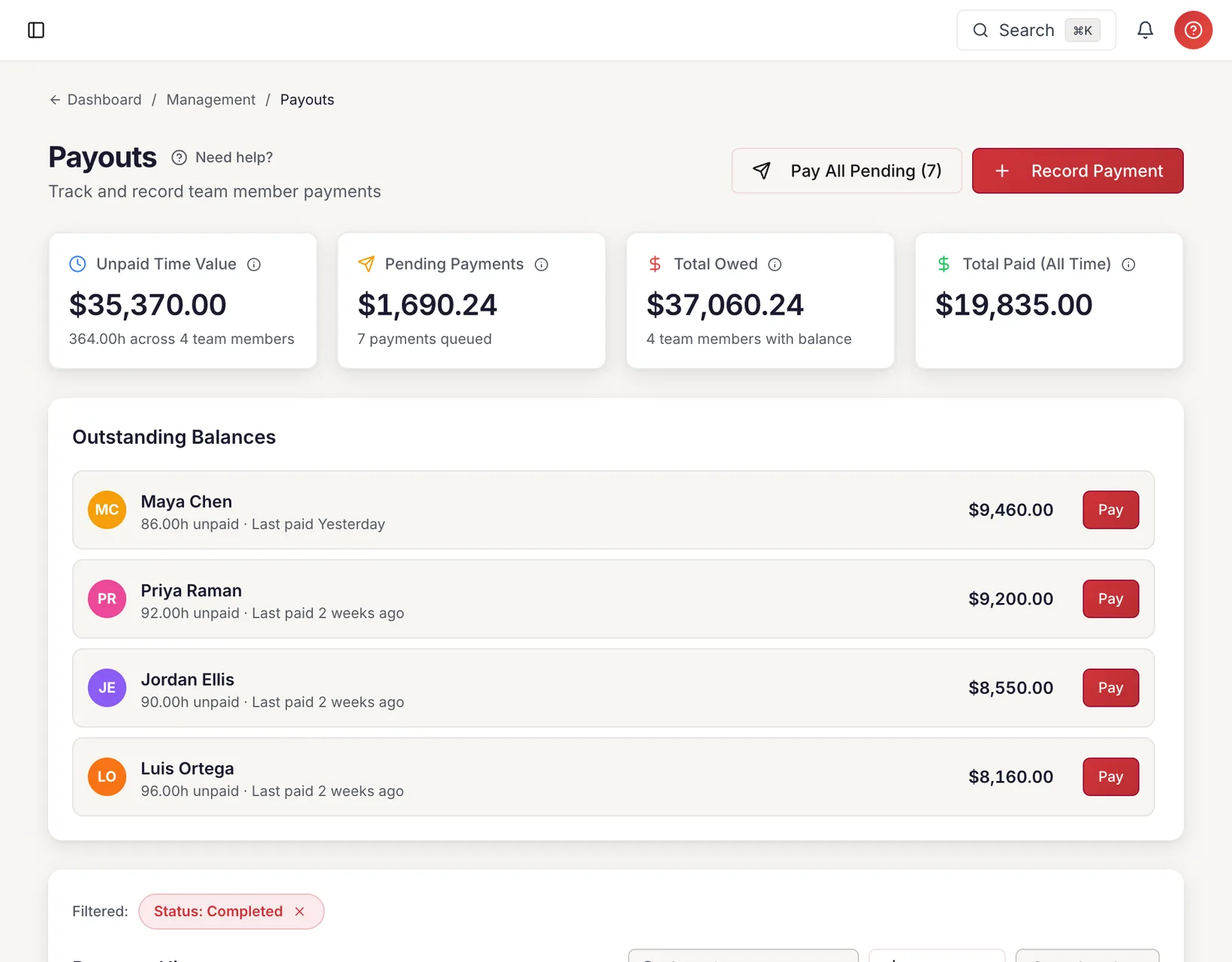
Payout Tracking

When you send an invoice, CherryWorks Pro automatically creates a pending payout for each 1099 and Corp-to-Corp team member. Expense reimbursements create payouts too. W-2 employees are excluded — they're on your payroll.

Only CherryWorks Pro includes payout tracking at every tier

  • Auto-created PENDING payout on invoice send
  • Expense reimbursement auto-payouts
  • Bill rate vs cost rate per team member per project
  • Outstanding balance dashboard
  • ACH, Zelle, Check, Wire tracking
  • Void and re-issue payouts
  • 1099-ready export at year end
See it in action
cherryworkspro.com/payouts

Payouts

Track and record team member payments

+ Record Payout

TOTAL OWED

$8,640

PAID (ALL TIME)

$42,300

UNPAID HOURS

86h

ACTIVE

5

Outstanding Balances

SK

Sarah Kim

24h unpaid

$3,600ACH
Pay
MR

Mike Rivera

18h unpaid

$2,340Zelle
Pay
AL

Anna Lopez

12h + $200 reimb

$1,700ACH
Pay

Win work before you track it

Estimates & Proposals

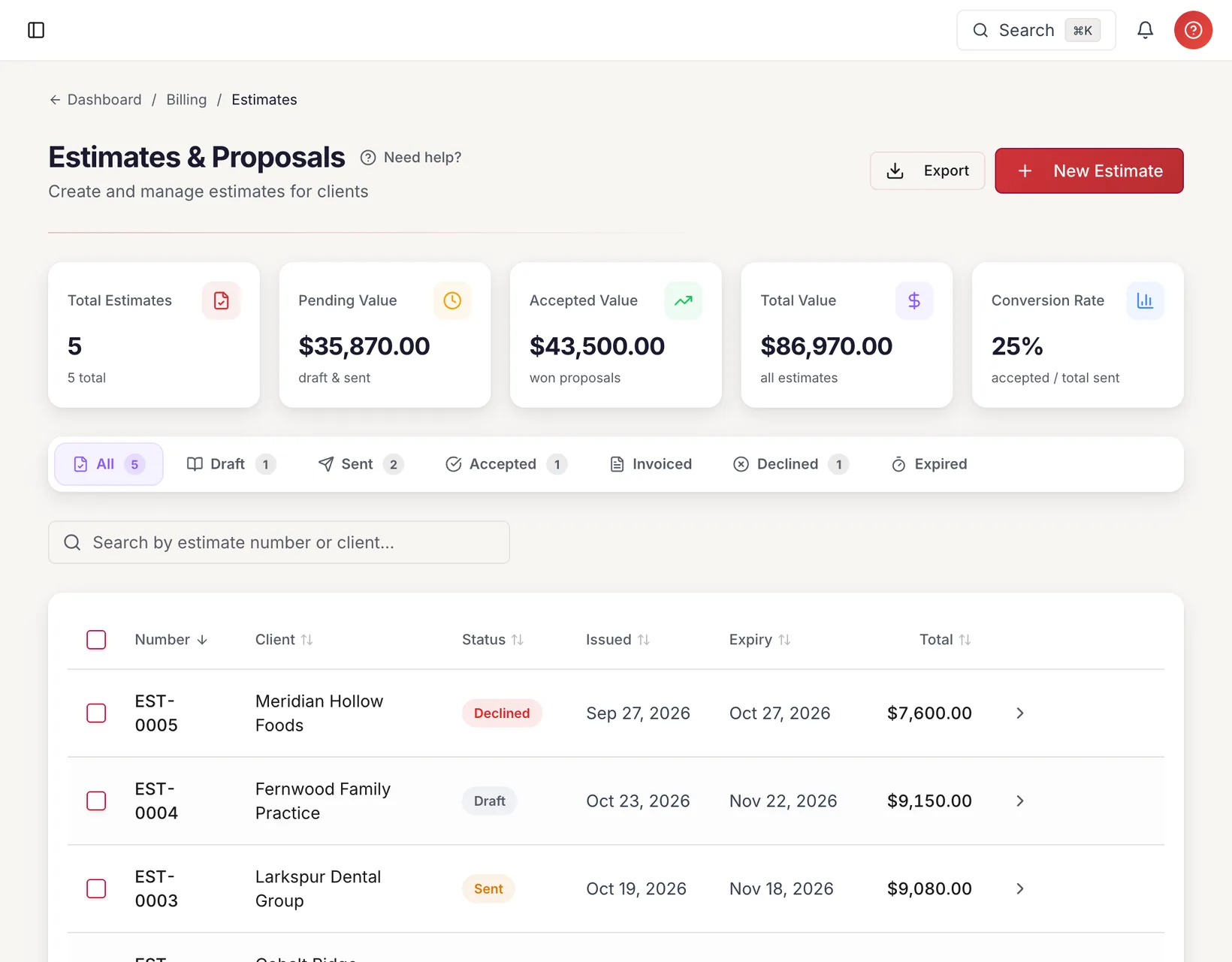
Create detailed estimates, send to clients with a branded public link, and convert accepted estimates into invoices with one click.

Other platforms charge extra for estimates and proposals

  • Line items, discounts, tax
  • Branded portal link
  • Client accepts or declines online
  • Convert to invoice on acceptance
  • Status: Draft → Sent → Accepted/Declined
See it in action
cherryworkspro.com/estimates

Estimates

8 estimates · $124,500 total

+ New Estimate

SENT

3

ACCEPTED

4

DECLINED

1

DRAFT

2

#CLIENTAMOUNTSTATUSSENT
EST-0012Acme Corp$24,800ACCEPTEDMar 10
Invoice
EST-0013TechFlow Inc€18,500SENTMar 18
EST-0014Global Media£12,000SENTMar 22
EST-0015StartupXYZ$8,400DECLINEDMar 15
EST-0016Meridian Labs$32,000DRAFT

Professional, branded, self-service

Client Portal

Every client gets a secure portal link to view invoices, check payment history, see outstanding balances, and download PDFs. Overdue alerts. No login required — secure token access.

Only CherryWorks Pro includes client portals at every tier

  • Secure token-based access
  • Invoice history with status badges
  • Payment history and outstanding balance
  • Overdue alerts with days-past-due
  • PDF download for any invoice
  • Branded with your firm's identity
See it in action
cherryworkspro.com/portal/abc123
CherryWorks Pro
CherryWorksPro

Acme Corp — Client Portal

OUTSTANDING

$8,750

OVERDUE

$5,200

PAID (YTD)

$42,300

1 overdue invoice — INV-0049 (£5,200) is 8 days past due

INV-0048€8,750Due Apr 4SENT
INV-0049£5,200Due Mar 20OVERDUE
INV-0047$12,400Due Mar 31PAID
NEW

The complete expense lifecycle

Expense Management

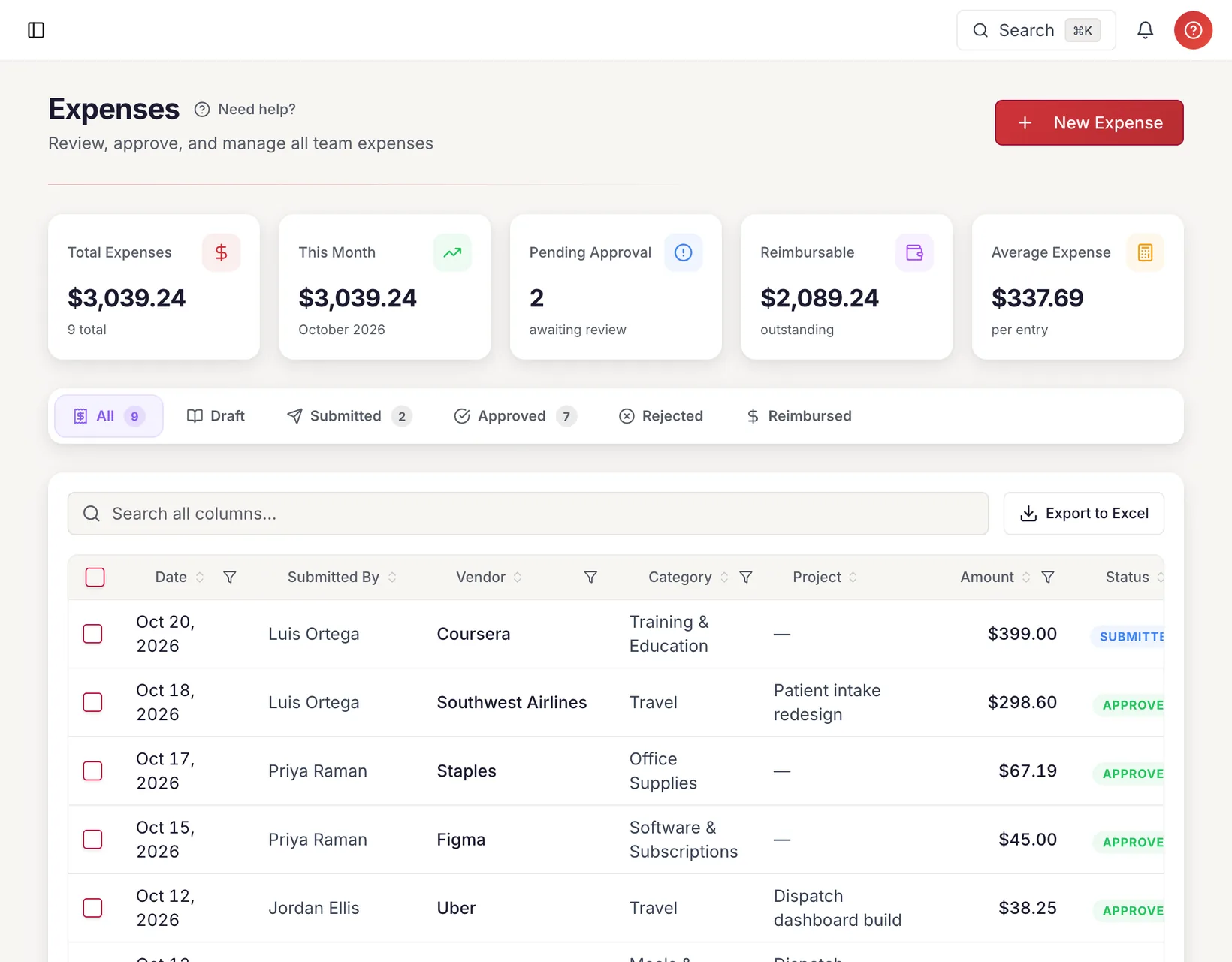
Create, categorize, submit, approve, and reimburse expenses — in any currency. Upload receipts, group into batch reports, and watch auto-reimbursement payouts appear the moment you approve.

Other platforms charge extra for expense management

  • Create with vendor, category, GL codes, project
  • Upload receipt photos and PDFs
  • Submit → Approve → Reimburse workflow
  • Rejection with mandatory reason
  • Batch expense reports
  • Auto-reimbursement payouts on approval
  • Multi-currency expense logging
  • Expense cost flows into project profitability
See it in action
cherryworkspro.com/expenses

Expense Dashboard

March 2026 · 5 team members

+ New Expense

TOTAL

$4,285

APPROVED

$1,135

PENDING

3

REIMBURSED

$698

AllDraftSubmittedApprovedRejectedReimbursed
Mar 28
SK
Delta AirlinesTravel
$485APPROVED
Mar 27
MR
AWSSoftware
€130SUBMITTED
Mar 26
AL
Hilton HotelsTravel
£312DRAFT
Mar 25
JT
UberTransport
$48REIMBURSED
Mar 24
DD
Jet BlueTravel
$650APPROVED
NEW

Snap it. Scan it. Done.

AI Receipt Scanner

AI-powered receipt scanning extracts vendor, amount, date, and category from photos or PDFs instantly. No manual data entry — just upload and let AI do the work.

Other platforms charge extra for AI receipt scanning

  • Upload receipt photos or PDFs
  • AI extracts vendor name, amount, date, and category automatically
  • Auto-matches to expense categories
  • Supports multi-currency receipt scanning
  • Works with any receipt format worldwide
  • Attach scanned data directly to expense entries
See it in action
cherryworkspro.com/expenses/scan

AI Receipt Scanner

Upload and extract in seconds

SCANNED

STAPLES

Office Paper x3......$45.00

Ink Cartridge........$89.50

USB Hub..............$34.00

Desk Organizer.......$29.00

Pens (12-pack).......$12.50

Sticky Notes.........$8.50

Binder Clips..........$6.00

Tape Dispenser.......$11.00

Folder Set...........$12.00

TOTAL $247.50

03/15/2026 Store #4821

receipt_staples.jpg
AI
AI Verified
98%
VendorStaples
Amount$247.50
DateMar 15, 2026
CategoryOffice Supplies
Tax$0.00
PaymentVisa *4821
Create Expense
Edit Fields

Budget, team, profitability — one screen

Project Command Center

Every project gets a dedicated command center with budget tracking, team member hours, and profitability analysis that includes both labor cost and expense cost vs. revenue.

Other platforms charge extra for project profitability tracking

  • Budget hours with progress tracking
  • Hours by team member visualization
  • Profitability: revenue vs labor + expense cost
  • Tabbed: Time, Invoices, Estimates, Services
  • Assign team members with bill + cost rates
  • Project-specific service filtering
See it in action
cherryworkspro.com/projects/acme-redesign

Acme Corp Redesign

Client: Acme Corp · Active

On Track

BUDGET

200h

LOGGED

142h

REVENUE

$24,800

MARGIN

42%

HoursProfitabilityTimeInvoicesServices

Revenue vs Cost

Revenue

$24.8K

Cost

$14.4K

Cost Breakdown

Labor
$12,800
Expenses
$1,600
Profit$10,400 (42%)

One platform. Every currency.

Multi-Currency

Invoice clients in 30+ currencies with live exchange rates. Each client gets their own billing currency. Expenses logged in local currency, converted automatically for reporting.

Other platforms charge extra for multi-currency support

  • 30+ currencies with live exchange rates
  • Per-client billing currency
  • Automatic conversion for reporting
  • Multi-currency expense logging
  • Multi-currency reporting rollups
See it in action
Currencies
$ USD€ EUR£ GBP$ CAD¥ JPYR$ BRL$ AUD₹ INR₣ CHFkr SEK$ NZD$ MXN

30+ supported · Auto-conversion · Per-client billing currency

Set it and forget it

Recurring Invoices

Create templates for recurring engagements. Auto-generate and auto-send invoices on your schedule.

Other platforms charge extra for recurring invoice automation

  • Monthly, quarterly, or custom intervals
  • Auto-generate from templates
  • Auto-send on schedule
  • Pause and resume anytime
See it in action
cherryworkspro.com/invoices/recurring

Recurring Templates

4 active templates

+ New Template
CLIENTAMOUNTINTERVALNEXT GENAUTO-SENDSTATUS
Acme Corp$4,500/moMonthlyApr 1YesActive
TechFlow Inc€2,800/moMonthlyApr 1YesActive
Global Media£8,000/qtrQuarterlyJul 1NoActive
StartupXYZ$1,200/moMonthlyYesPaused
Total recurring: $15,500/mo equivalent3 auto-send enabled

From invite to productive in 5 minutes

Team Onboarding

Invite any team member by email — choose their worker classification (1099, W-2, or Corp-to-Corp) at invite time. Smart onboarding adapts the wizard to the worker type.

Other platforms charge per-user fees — CherryWorks Pro includes unlimited team members

  • Choose worker type: 1099, W-2, or Corp-to-Corp
  • 5-step wizard for team members
  • 3-step wizard for W-2 employees
  • ACH or Zelle payment preference
  • EIN, W-9, team member agreement capture
  • Conditional fields by worker type
See it in action
cherryworkspro.com/team

Team

5 active members · 1 pending invite

+ Invite Member
NAMEEMAILROLETYPEPAYMENTONBOARDINGACTIONS
DD
Alex Morgan
alex@acme...ADMINComplete
SK
Sarah Kim
sarah@acme...TEAM_MEMBER1099ACHComplete
MR
Mike Rivera
mike@tech...TEAM_MEMBERC2CWireComplete
AL
Anna Lopez
anna@dev...TEAM_MEMBERW-2PayrollComplete
JT
James Torres
james@data...TEAM_MEMBER1099ZelleComplete
??
rob@newco.com
rob@newco...TEAM_MEMBER1099Invited
3 × 10991 × C2C1 × W-2

A guided setup that actually guides

Up and Running in 5 Minutes

Five-step wizard walks you through everything — firm profile, services and rates, first client, team invites, and your first invoice. No onboarding calls, no outside help, no confusion. You are live on day one.

Only CherryWorks Pro offers 5-minute guided setup at every tier

  • Step 1: Firm profile with address, currency, and tax settings
  • Step 2: Define your services and billing rates
  • Step 3: Add your first client
  • Step 4: Invite team members with worker type classification
  • Step 5: Generate and send your first invoice
  • Progress tracking shows completion status
See it in action
cherryworkspro.com/setup

Getting Started

4 of 5 steps complete

Firm Profile
Services & Rates
First Client
4
Invite Team
5
First Invoice
Progress80%

Step 4: Invite Team Members

Add your first team member to start tracking time

Email Address

sarah@consulting.com

Worker Type

1099 Independent

Role

Team Member
Send Invite
Skip for Now
NEW

Double-entry accounting that runs itself

Accounting & General Ledger

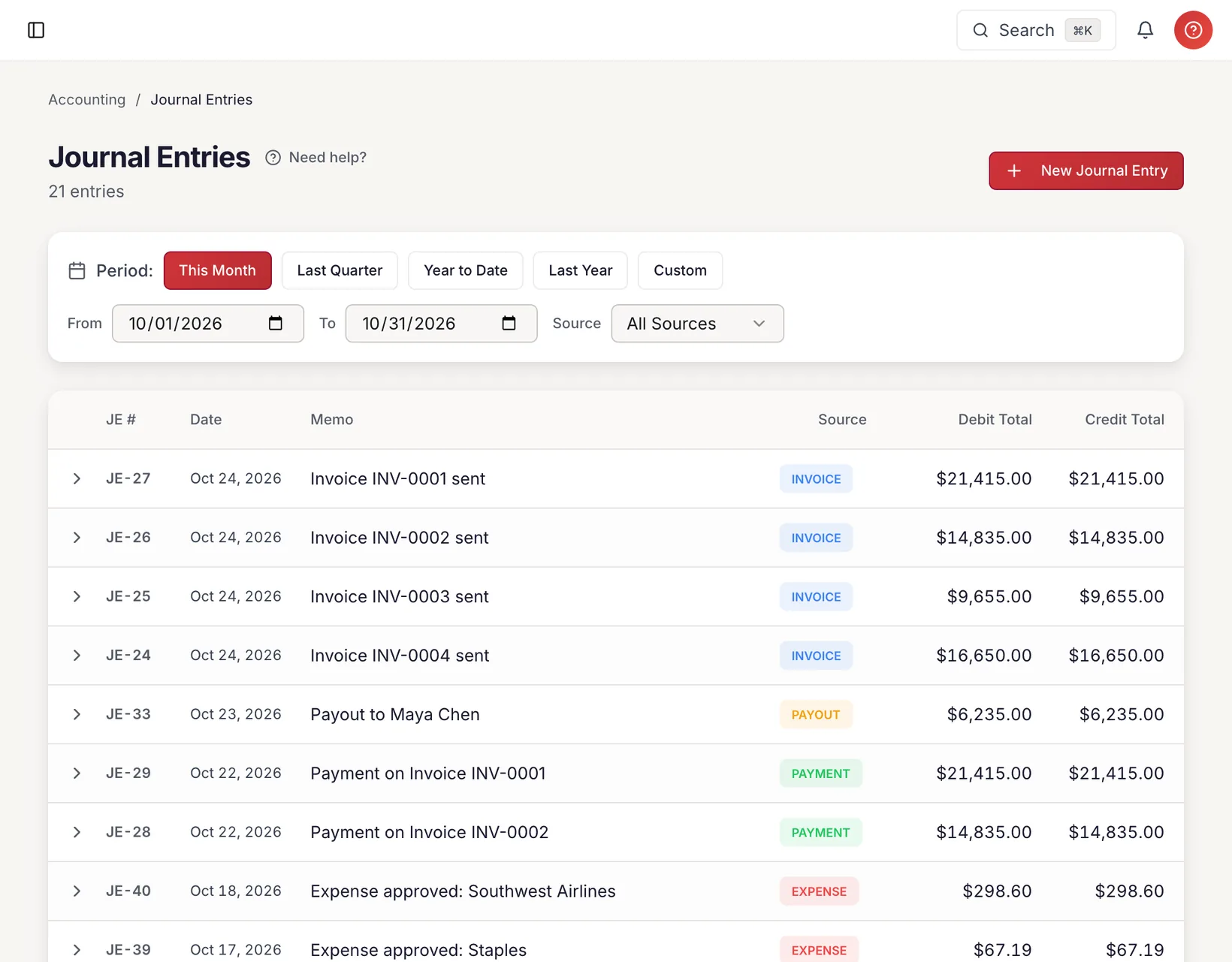
A full general ledger with Chart of Accounts, journal entries, trial balance, and date-filtered reports. Five financial events auto-generate balanced journal entries so your books stay current without manual data entry.

Only CherryWorks Pro includes a full general ledger at every tier

  • Chart of Accounts with 18 seeded default accounts
  • Auto-generated journal entries from 5 financial events
  • Invoice sent, payment received, payout completed, expense approved, expense reimbursed
  • Manual journal entry creation with live debit/credit balancing
  • General Ledger report with date filters and expandable account rows
  • Trial Balance report with as-of date and CSV export
  • Accounts grouped by type: Assets, Liabilities, Equity, Revenue, Expenses
  • One-click GL migration to replay all historical data
See it in action
cherryworkspro.com/gl/ledger

General Ledger

Year to Date · Jan 1 – Mar 31, 2026

This MonthYTDLast YearExport CSV
Assets
1000Cash$38,400$14,340$24,060
1200Accounts Receivable$87,450$38,400$49,050
Liabilities
2000Accounts Payable$0$2,340$2,340
2200Accrued Reimbursable$485$1,135$650
Revenue
4000Service Revenue$0$82,200$82,200
Expenses
5100Team Payout Costs$14,340$0$14,340
6001Travel$1,135$0$1,135

Auto-Generated Journal Entries

Invoice SentPayment ReceivedPayout CompletedExpense ApprovedExpense Reimbursed
Balanced18 default accounts · Double-entry · Trial Balance

Match every transaction automatically

Bank Reconciliation

Import bank statements in CSV or OFX format, and let our auto-matching algorithm reconcile every transaction against your invoices, payments, and payouts. Handle the rest with manual matching. One-click reconcile when balanced, with a full audit trail of every reconciliation.

Other platforms charge extra for bank reconciliation

  • Import bank statements (CSV/OFX)
  • Auto-matching algorithm matches transactions to invoices, payments, and payouts
  • Manual match for unmatched items
  • Reconciliation status dashboard
  • Date-range filtering
  • Matched vs unmatched summary with totals
  • One-click reconcile when balanced
  • Full audit trail of reconciliation history
See it in action
cherryworkspro.com/bank-reconciliation

Bank Reconciliation

Mar 1 – Mar 31, 2026

Import StatementReconcile

BANK BALANCE

$48,230

BOOK BALANCE

$48,230

MATCHED

47

UNMATCHED

3

Balanced
Difference: $0.00
AllMatchedUnmatched
DATEDESCRIPTIONBANK AMTMATCHTYPESTATUS
Mar 28ACH Deposit - Acme Corp+$12,400INV-0047PaymentMATCHED
Mar 25Wire Out - Mike Rivera-$2,340PAY-0031PayoutMATCHED
Mar 22ACH Deposit - TechFlow+€8,750INV-0048PaymentMATCHED
Mar 20Stripe Payout+$3,150UNMATCHED
Mar 18Delta Airlines-$485EXP-0089ExpenseMATCHED
Mar 15Unknown ACH Credit+$920UNMATCHED
47 matched3 unmatchedCSV · OFX supported

Import wizards for every major platform

Switch From Anything

Bring your data from FreshBooks, QuickBooks, Harvest, Xero, Wave, BigTime, Scoro, or Paymo. Upload your exports, preview with dry-run, execute with one click, and roll back if needed.

Other platforms make migration a paid service

  • FreshBooks, QuickBooks, Harvest, Xero, Wave, BigTime, Scoro, Paymo
  • Upload CSV/Excel exports
  • SHA-256 integrity check
  • Dry-run preview before executing
  • Idempotent — re-run without duplicates
  • Full rollback per import run
  • 5-minute migration for most firms
See it in action
cherryworkspro.com/import

Import Wizard

Migrate from any platform

1
Select Platform
2
Upload Files
3
Preview
4
Execute

clients.csv

47 clients

invoice_details.csv

312 invoices

time_entries.csv

2,847 entries

expenses.csv

89 expenses

Records

3,295

Date range

Jan 2024 – Mar 2026

Integrity

SHA-256 ✓

Execute Import
Rollback

Get paid without the awkward follow-up

Automated Payment Reminders

Configure automatic email reminders for overdue invoices at intervals you choose. Professional branded emails include invoice PDF attachments and direct payment links. Rate-limited to one per invoice per day so clients are never spammed.

Other platforms charge extra for automated payment reminders

  • Configurable reminder intervals (3, 7, 14, 30 days overdue)
  • Customizable email templates with merge variables
  • Invoice PDF automatically attached to every reminder
  • Direct payment link included for one-click pay
  • Rate-limited to prevent over-sending
  • Works with your custom SMTP for branded delivery
See it in action
EMAIL PREVIEW

To: billing@acmecorp.com

Re: Friendly Reminder — Invoice INV-0049 is 7 days overdue

Hi Acme Corp,

This is a friendly reminder that Invoice INV-0049 for £5,200.00 was due on March 20, 2026 and is now 7 days overdue.

Pay Now
View Invoice

PDF attached · Sent via CherryWorks Pro

Schedule

Day 3Sent
Day 7Sent
Day 14
Day 30

Your data is sacred

Enterprise-Grade Security

Session-based authentication, org-scoped data isolation, role-based access control, audit logging, rate-limited APIs, and CSRF protection.

Only CherryWorks Pro includes enterprise-grade security at every tier

  • Org-scoped tenant isolation
  • Role-based access control
  • Audit log for every financial mutation
  • Rate-limited APIs
  • CSRF and XSS protection
See it in action
cherryworkspro.com/admin/audit

Audit Log

Every financial event, tracked and immutable

EVENTS TODAY

47

USERS ACTIVE

5

SECURITY ALERTS

0

2:34 PM📤Alex M.INVOICE_SENTINV-0048 · €8,750 · TechFlow
2:31 PM💰Alex M.PAYOUT_AUTO_CREATED$2,340 · Mike Rivera
2:28 PMAlex M.EXPENSE_APPROVED$485 · Delta Airlines · Sarah Kim
1:45 PM📋Sarah K.TIMESHEET_SUBMITTEDWeek Mar 23-29 · 42.0h
1:22 PM📨Mike R.EXPENSE_SUBMITTED€129.99 · AWS
12:55 PM💳Alex M.PAYMENT_RECORDED$12,400 · Acme Corp · INV-0047
11:30 AMAnna L.TIME_ENTRY_CREATED8h · Acme Redesign · UX Design
10:15 AM👤Alex M.USER_INVITEDrob@newco.com · 1099 Independent
🔒 Org-isolated🛡 Role-based access📝 Immutable log

Every action. Every user. Every timestamp.

Complete Audit Trail

Every financial mutation — invoice sent, payment applied, timesheet approved, expense submitted, GL entry posted — is logged with who did it, when, and full before-and-after details. Enterprise compliance without enterprise complexity.

Only CherryWorks Pro includes a complete audit trail at every tier

  • Automatic logging of all financial events
  • User attribution on every action
  • Timestamped entries with full detail context
  • Covers invoices, payments, timesheets, expenses, GL entries, and imports
  • JSON detail payload for forensic-level audit
  • Org-scoped isolation ensures complete data privacy
See it in action
cherryworkspro.com/admin/audit

Audit Trail

Complete history of every action

ExportFilter

TOTAL EVENTS

1,247

TODAY

23

USERS

5

TIMESTAMPUSERACTIONENTITYDETAILS
Mar 28, 10:15amSarah K.INVOICE_SENTINV-0052Sent to Acme Corp, $12,450.00
Mar 28, 09:30amAdminPAYMENT_APPLIEDPAY-0089$5,000.00 applied to INV-0048
Mar 27, 04:45pmMike R.TIMESHEET_SUBMITTEDTS-0147Week Mar 23-29, 38.5h
Mar 27, 03:12pmAdminEXPENSE_APPROVEDEXP-0091$485 Delta Airlines, Sarah K.
Mar 27, 01:00pmAnna L.GL_ENTRY_POSTEDJE-0234Manual adjustment, $1,200 DR/CR
Org-isolatedJSON payloadsImmutable · Tamper-proof

24/7 intelligent support — included with Professional plans

CherryAssist AI

CherryAssist is your AI-powered support agent, trained on every feature, workflow, and report in CherryWorks Pro. Ask it anything — from setting up your first client to understanding complex profitability reports. Instant answers, around the clock, no tickets, no waiting.

Only CherryWorks Pro includes AI-powered support

  • Instant answers to any product question
  • Available 24/7 — nights, weekends, holidays
  • Trained on every feature, report, and workflow
  • Contextual help inside the app
  • No tickets, no email queues, no waiting
  • Included on Professional, Business, and Enterprise plans
See it in action
CherryAssistOnline

How do I set up recurring invoices?

Great question! Here's how to set up recurring invoices:

1. Go to Invoices and click "Recurring Templates"

2. Click "+ New Template", select client, amount, and interval (monthly/quarterly)

3. Toggle "Auto-send" to email invoices automatically on schedule

Verified answer

Can I pause a recurring template?

Yes! Open the template and click "Pause". It will stop generating new invoices until you resume it. Existing invoices are unaffected.

Ask CherryAssist anything...

Switch from anything in under 5 minutes

Import wizards for every major platform. Upload, preview, execute.

1

Upload

Export from your current tool. Upload CSV or Excel.

2

Preview

Dry-run shows exactly what imports — counts, totals, issues.

3

Go Live

One click. Idempotent. Fully reversible.

Included in Business plan

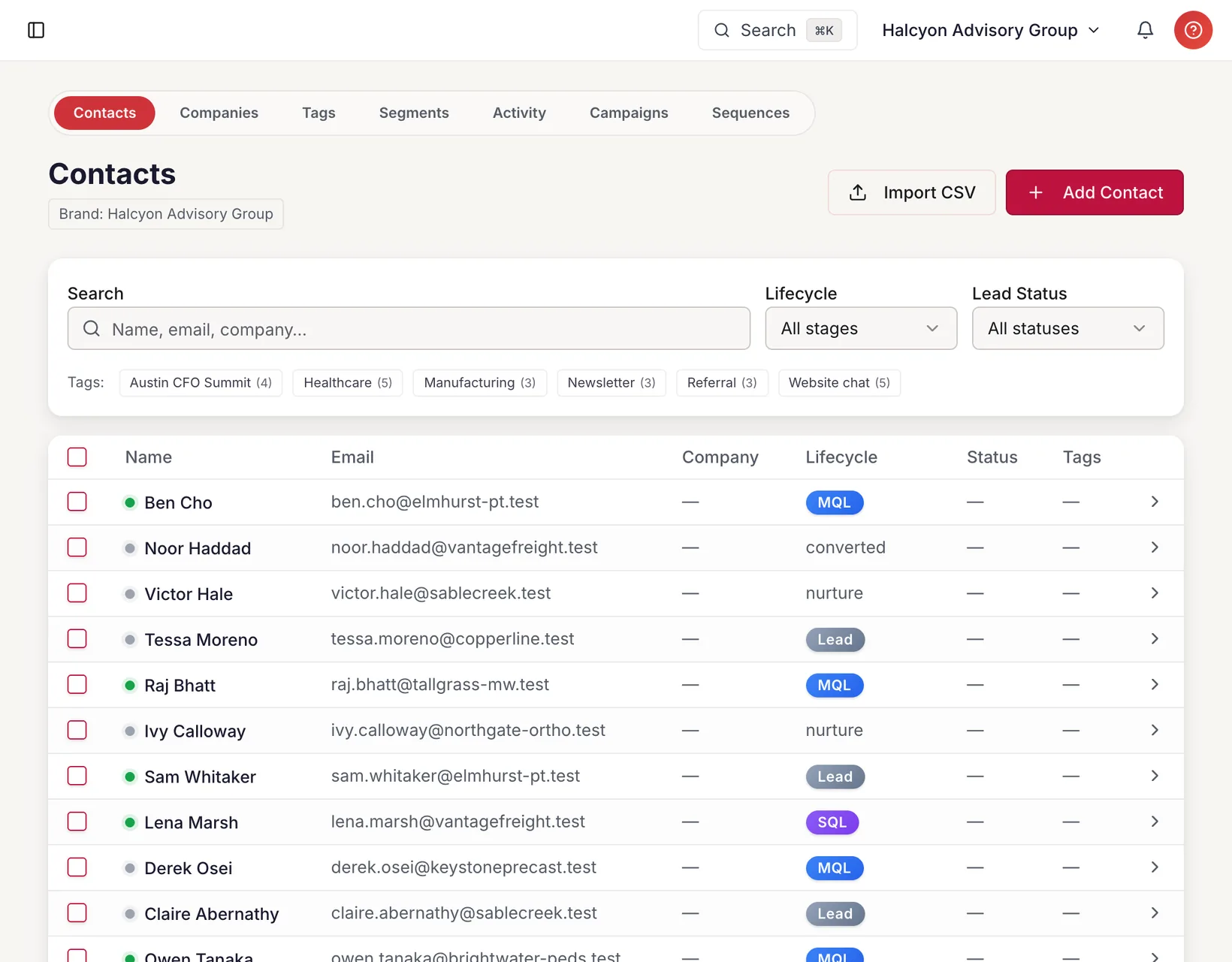
Marketing Hub — Prospect / Client Separation

Marketing Hub adds a full prospect-to-client layer on top of CherryWorks Pro — included in the Business plan, with no cross-contamination between marketing and billing records.

Contacts & Companies CRM

Track prospects and companies in their own tables, completely separate from billing clients. Tags, custom fields, activity timeline.

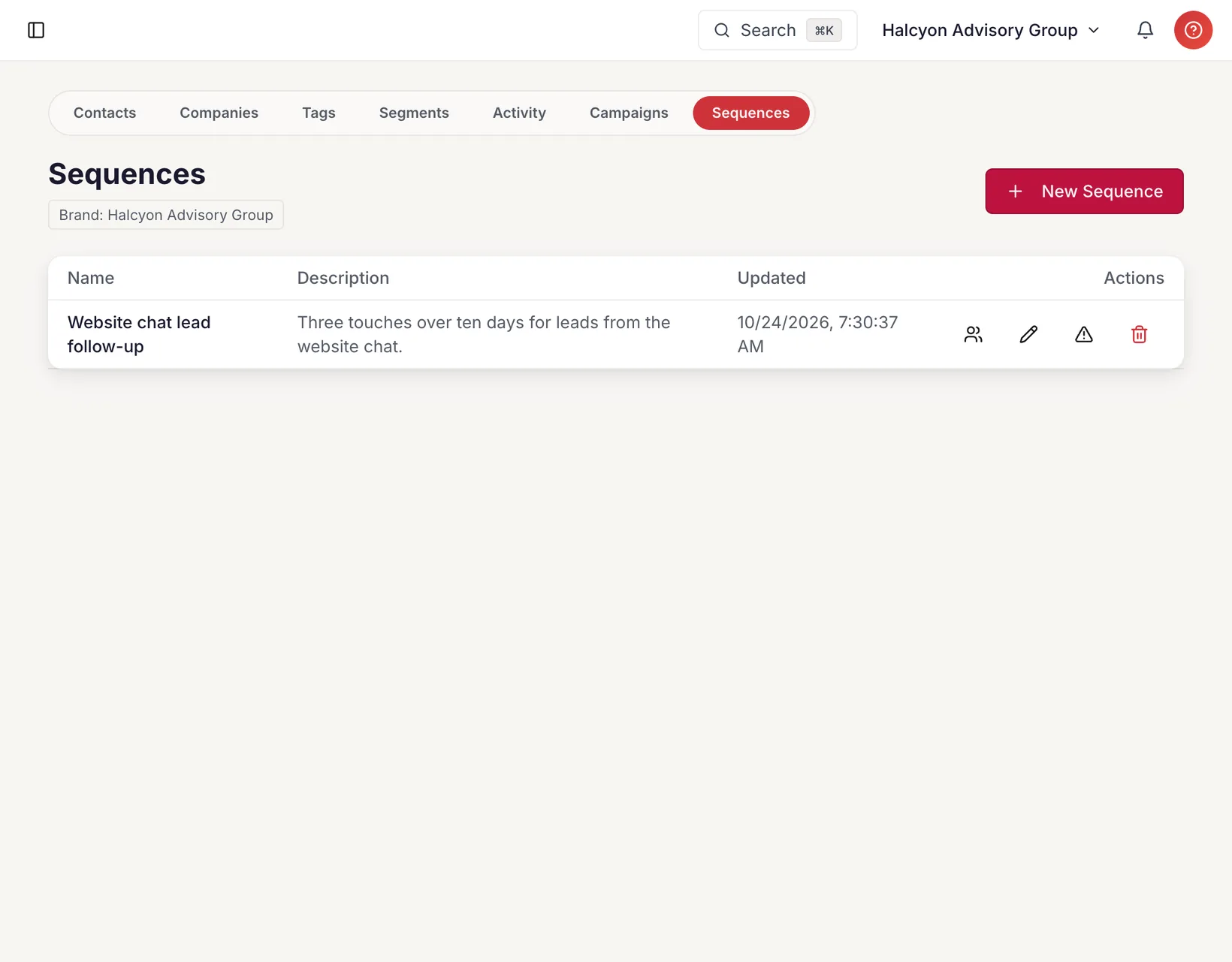
Campaigns & Sequences

Broadcast to a segment, or run multi-step automated outreach. Stops the moment a prospect replies or is promoted to a client.

Prospect / Client Separation

Marketing data lives in dedicated database tables — no foreign keys to your books, no cross-contamination between marketing and billing records.

Ready to run your firm the way it deserves?

Start fresh or bring your data — the guided wizard gets you live in minutes. 14-day free trial.